Digital marketing automation for content

Bulk SEO articles with unique headlines, on demand

Turn a keyword list and a target URL into a batch of client-ready articles for your link building and off-page SEO campaigns — in 20-30 major global languages, at the length you choose, each with a headline that is guaranteed unique across your entire order. Export as Word, HTML and TXT, then push straight to publishing.

20-30 major global languages Unique-heading engine Word / HTML / TXT Queue & dripfeed
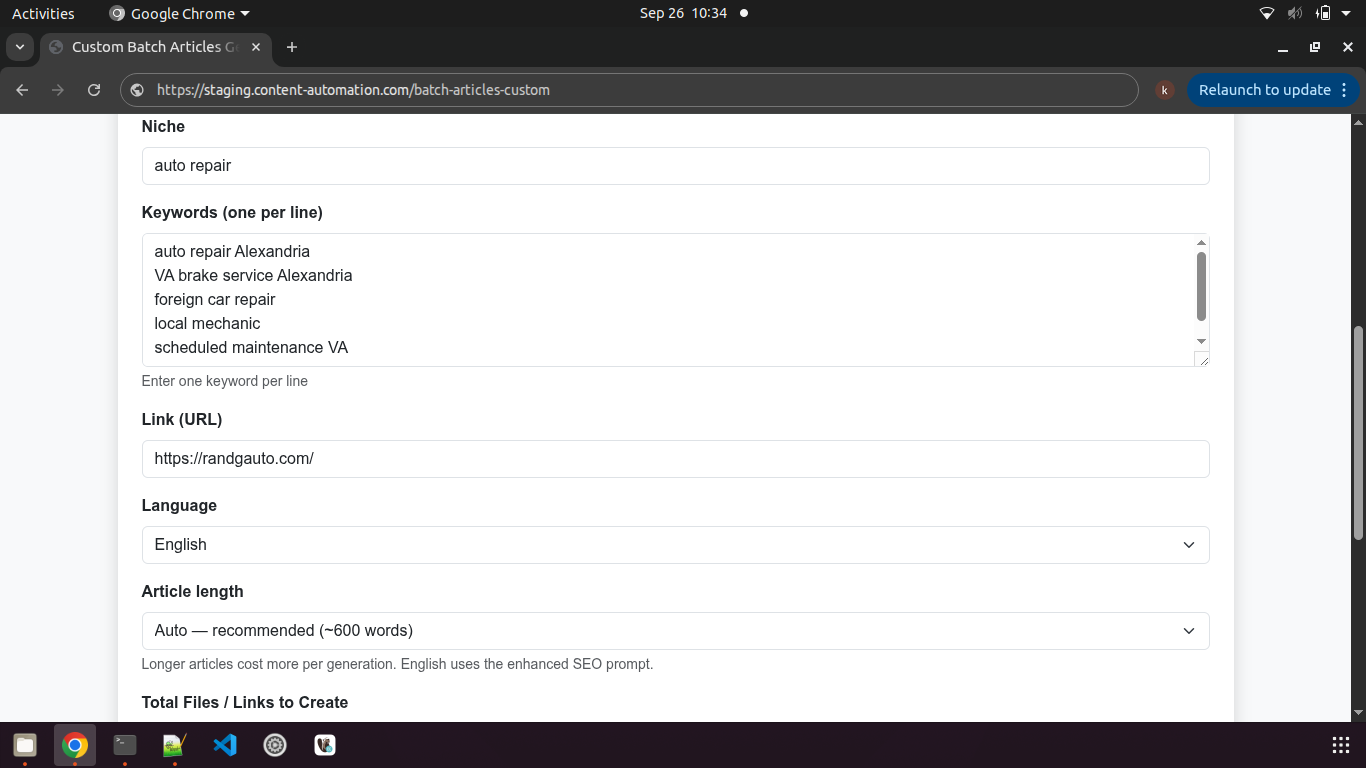
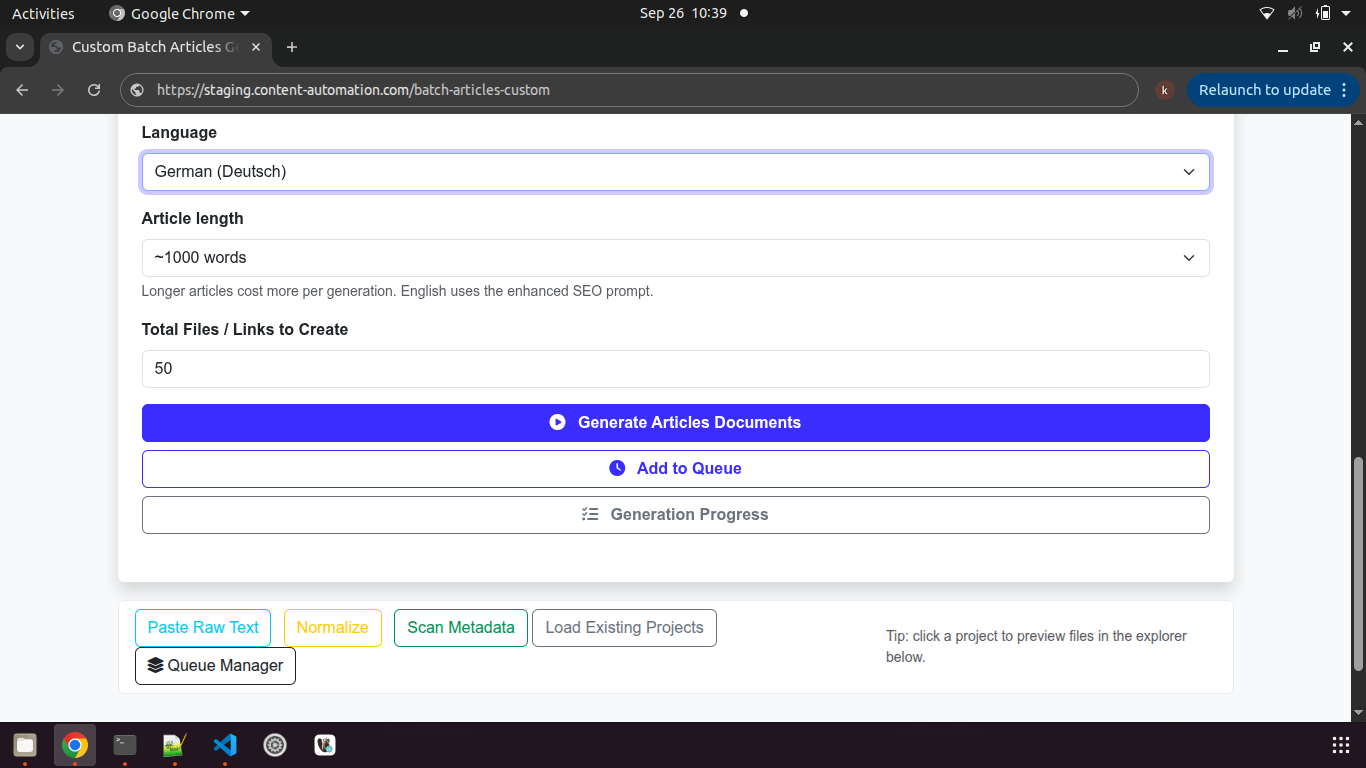
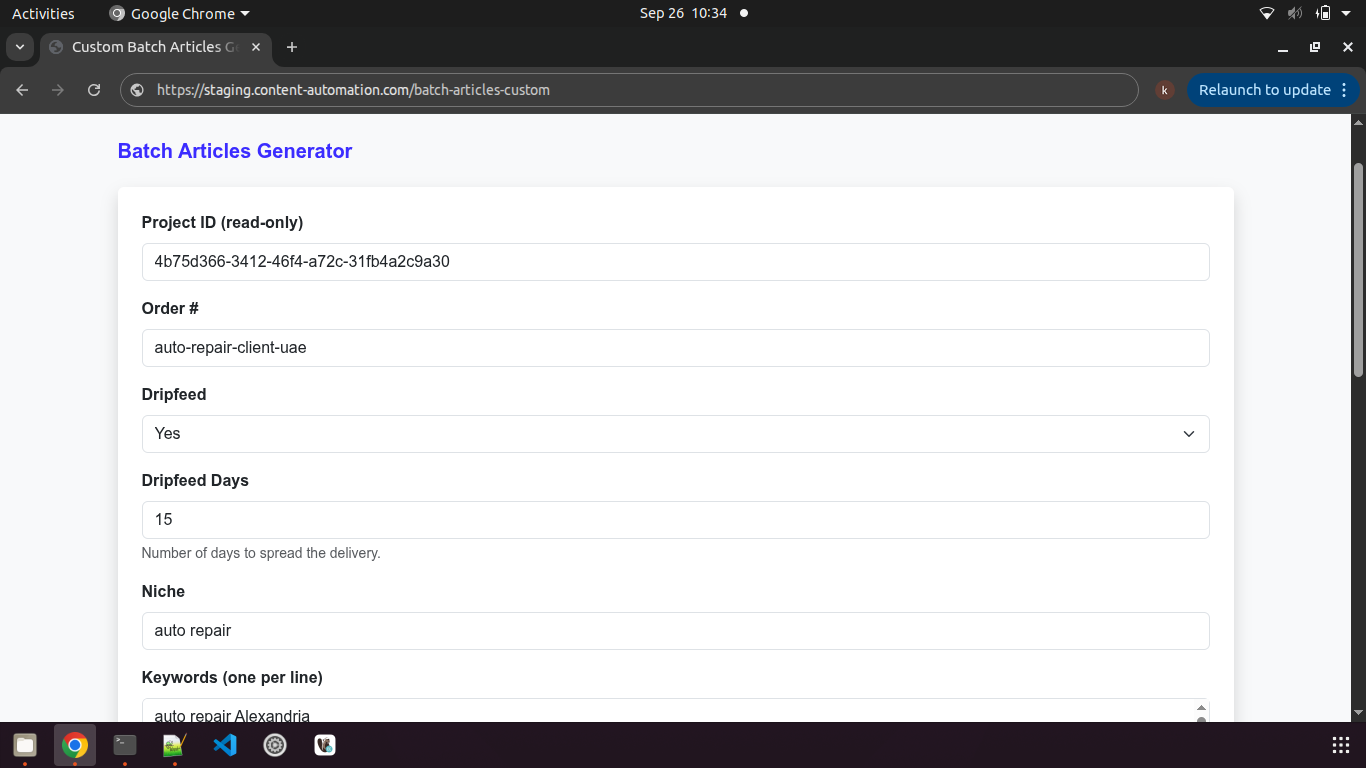
Batch Articles Generator setup form Live tool interface
20-30
Major global output languages
600–2000
Words per article
3
Export formats per article
0
Duplicate titles per order
The content bottleneck

Why bulk content gets stuck

Content orders should be the easiest thing you sell — yet they're usually the hardest to produce at volume without cut corners. For off-page SEO and link building campaigns, content capacity is the real bottleneck.

A

Slow to produce

Writing hundreds of articles, then formatting and converting each one to Word, eats days of billable capacity.

B

Duplicate footprints

Repeating or near-identical titles across a PBN or guest-post order is exactly what clients complain about.

C

Format friction

Earlier tools export plain text. Real order desks want `.docx` files, ZIPs and status reporting.

The workflow

From keywords to deliverables

Define the batch

Order number, niche, keywords, link, language, length and total files — or paste a raw client order to auto-parse it.

Generate

The engine writes each article with a unique headline and embeds your link contextually.

Queue or dripfeed

Run immediately, queue in the background, and spread delivery over the dripfeed window.

Export & publish

Download Word/HTML/TXT or a ZIP, export reports, or push the set straight to publishing.

What's inside

A full content production line

0

100% customizable according to client needs

Writing profiles, niche targeting, output formats, publishing integrations and white-label options are all configurable to your process.

1

Unique-heading engine

Existing titles are loaded, fed to the model as a "never reuse these" list, and regenerated until every headline is genuinely unique.

2

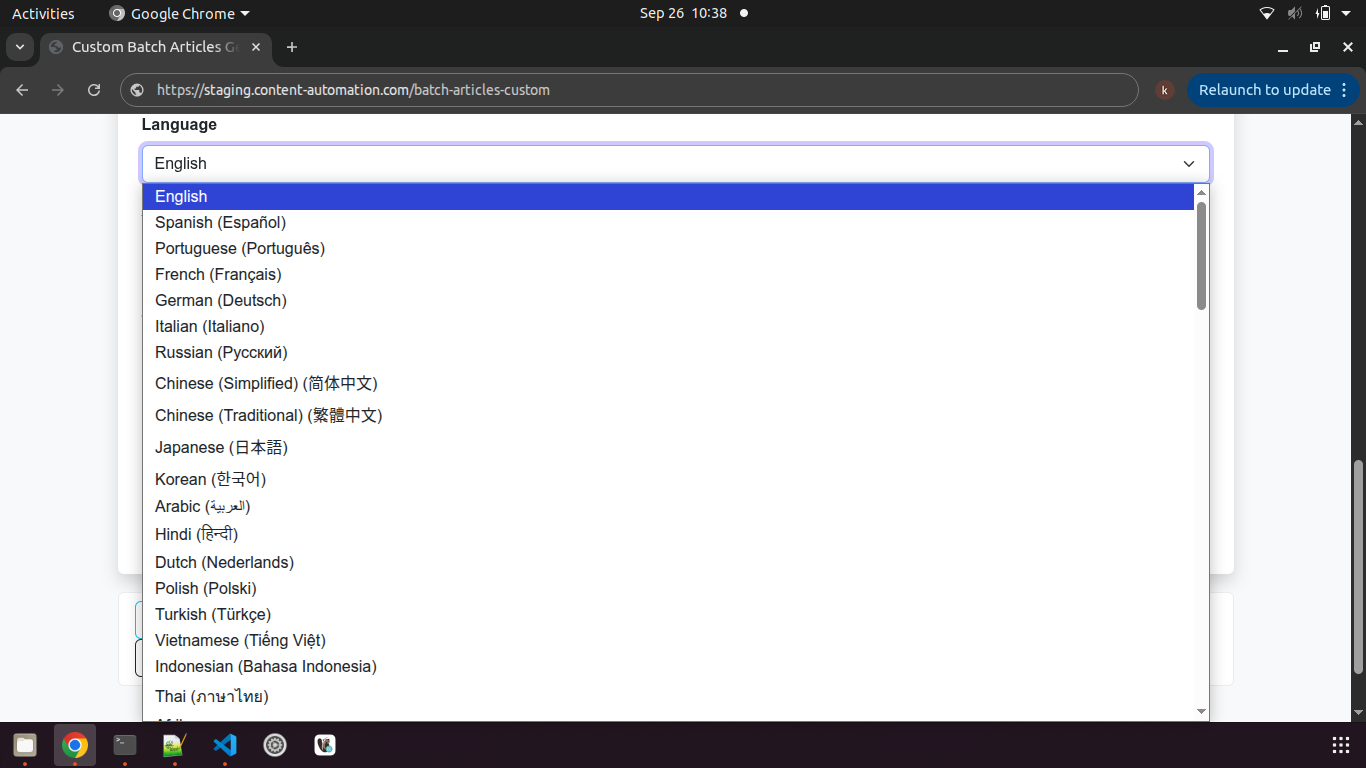
20-30 major global languages

Generate for targeted major global languages (OpenAI-supported) from the same batch, with language-aware prompts.

3

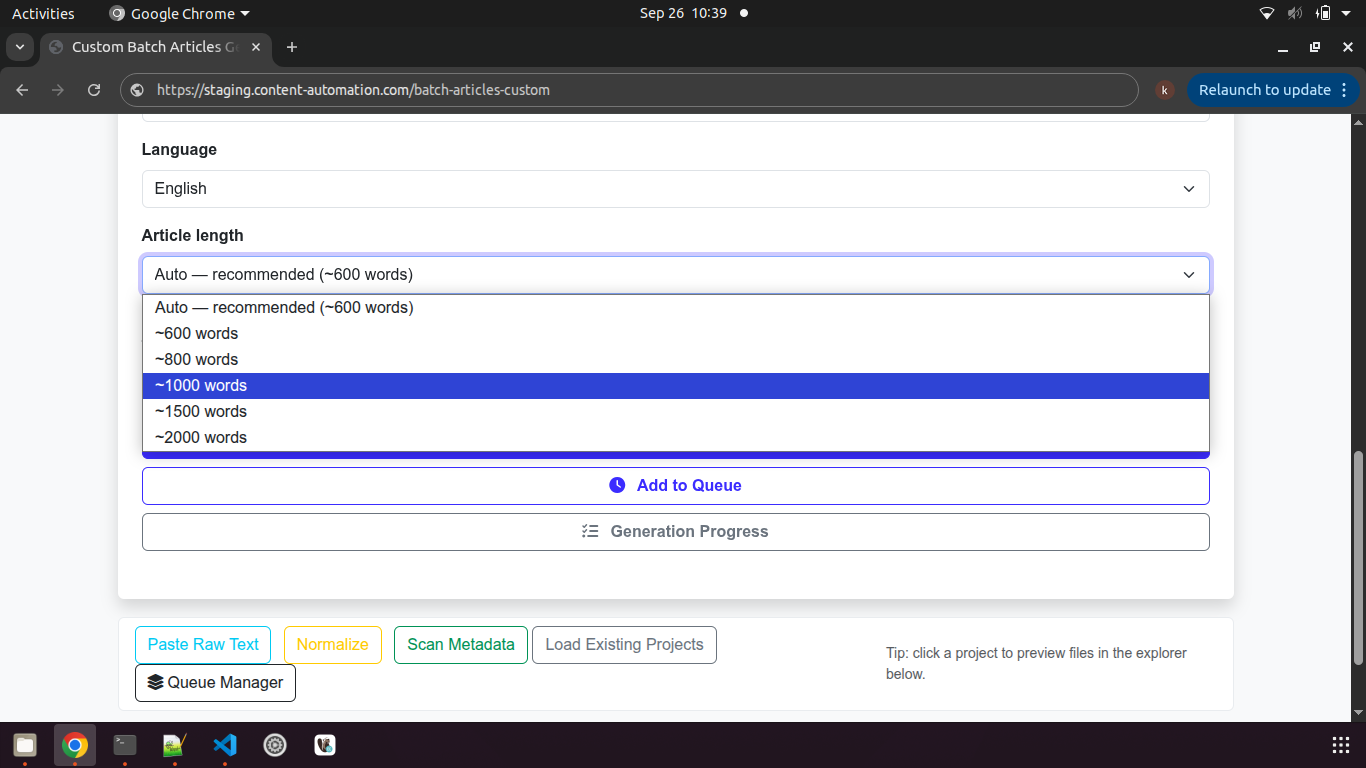
Configurable length

Choose the target article length per batch so output matches the order spec — from short SEO pieces to long guides.

4

Niche targeting

A niche field steers topical context so articles read as if they belong to the client's industry.

5

Contextual links

Your URL is placed naturally in the body via a dynamic placeholder replaced at generation time.

6

Three formats, one pass

Every article exports as Word (`.docx`), previewable HTML and raw TXT — no manual conversion.

7

Background queue

Jobs run one at a time and persist to a database. Close the browser and they keep going.

8

Dripfeed support

Carry a dripfeed window with the order metadata so delivery can be spread over time.

9

Regenerate any article

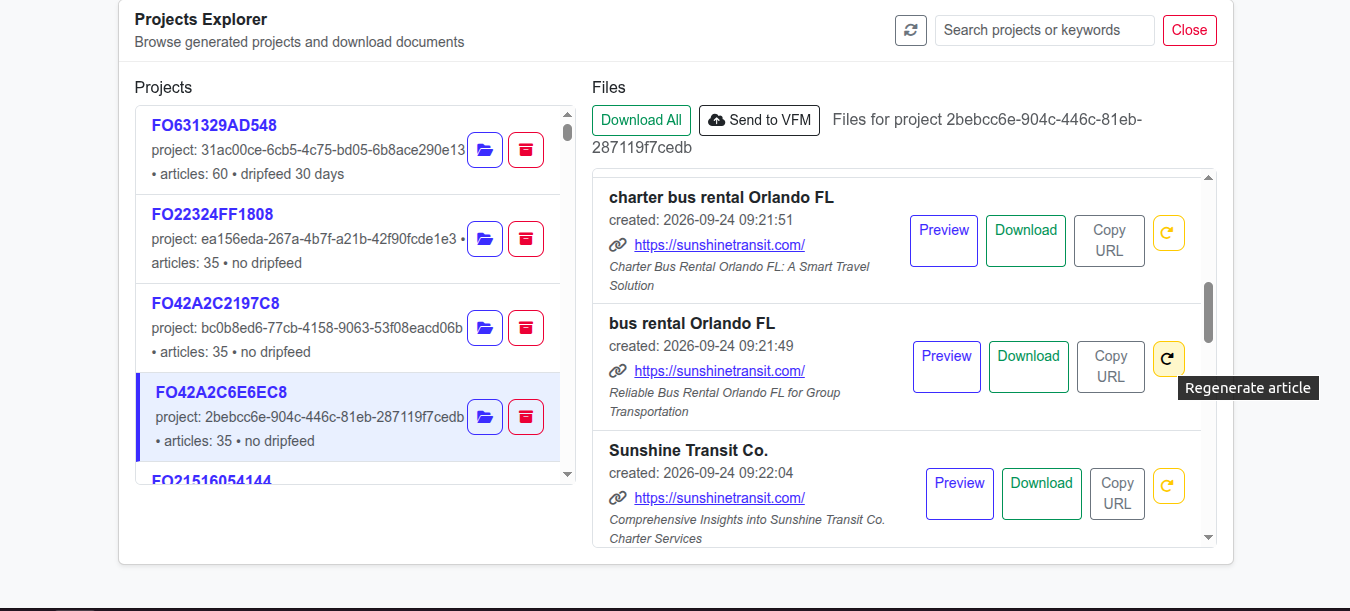
Regenerate a single article to replace its files with a fresh unique heading — without redoing the batch.
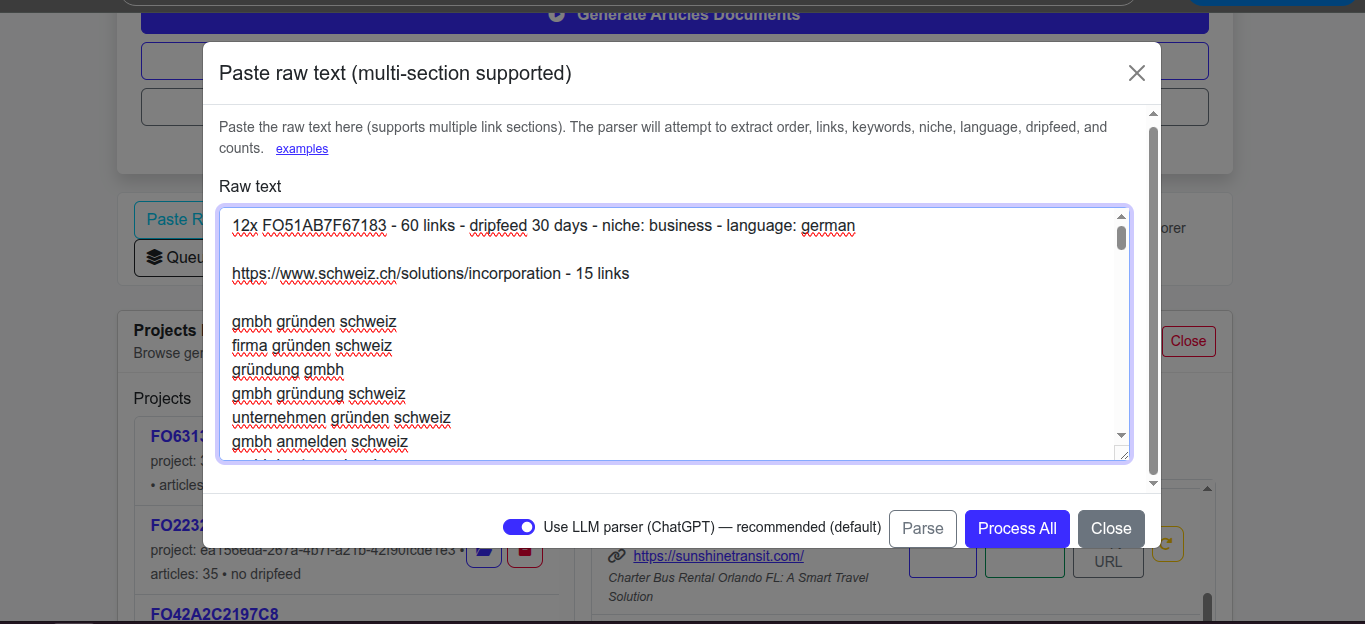
Paste raw text modal with LLM parser
Order intake

Feed it orders in any format

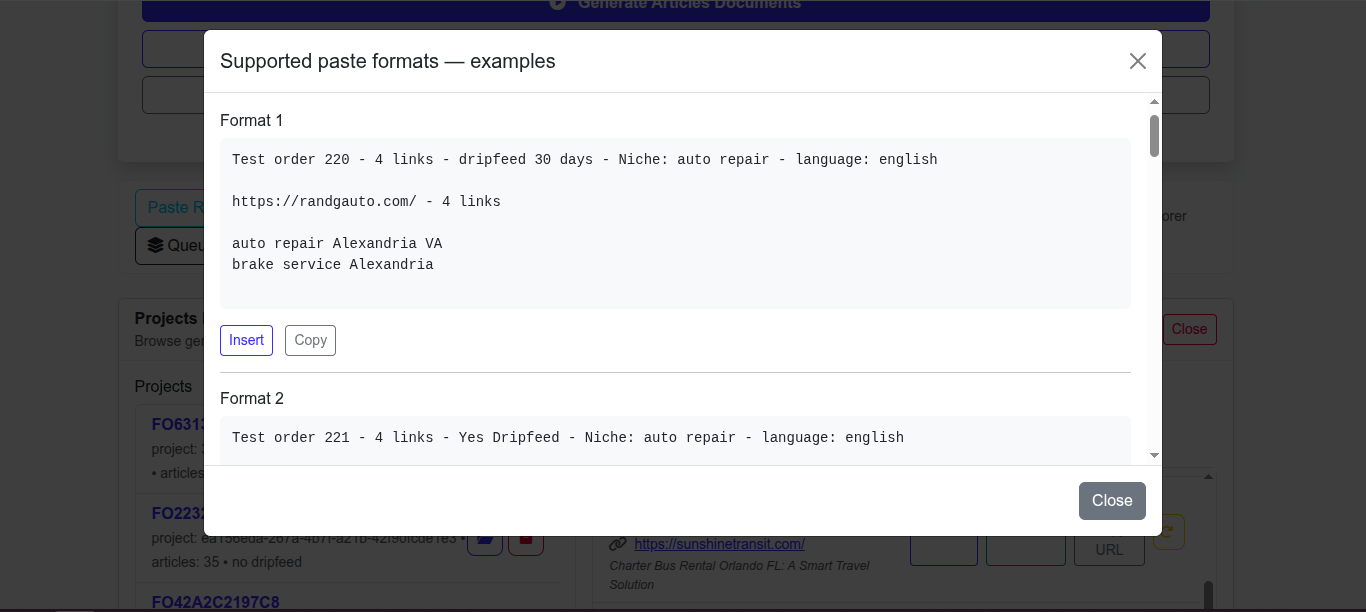
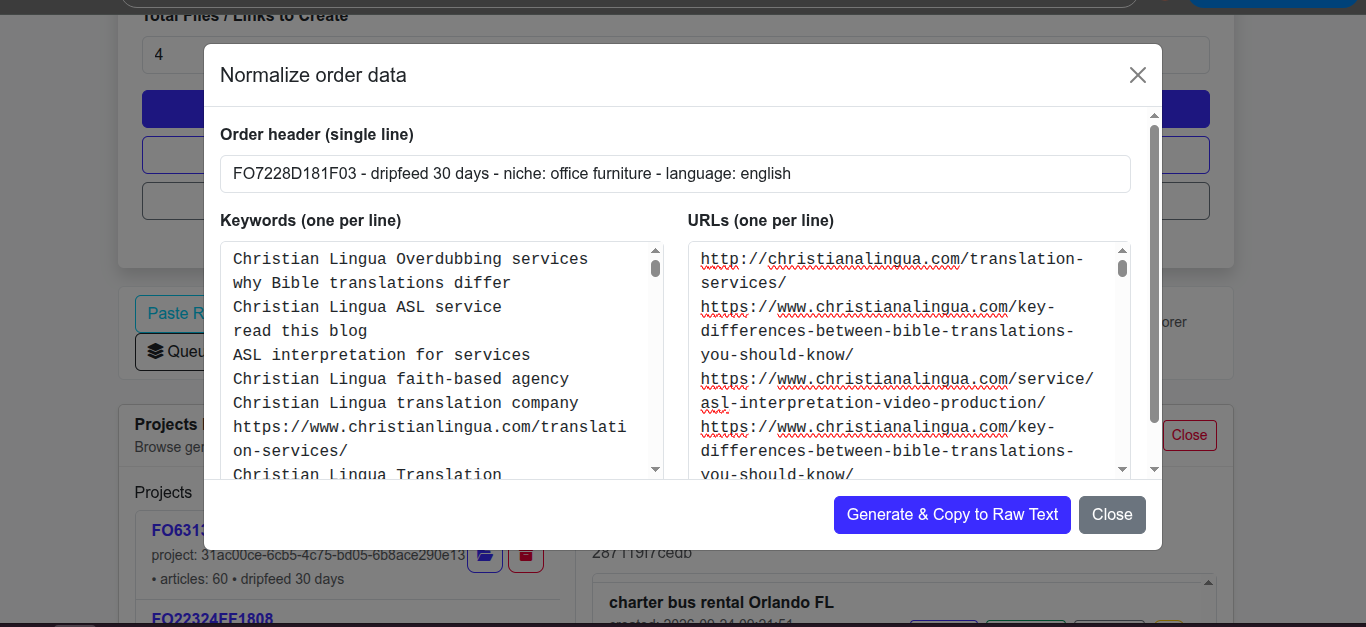
Paste a raw client order and an LLM parser extracts the order number, links, keywords, niche, language, dripfeed and counts — including multi-section orders with several URLs. Or use Normalize to convert a simple header plus keyword and URL lists into the canonical format.

  • Paste raw text from any marketplace order
  • Auto-extracts structured batch parameters
  • Handles multi-URL and multi-section orders
  • Normalize aligns keywords to URLs by line order
  • Example formats built in for quick training
Delivery & reporting

Client-ready files and placement reports

Browse every generated project, preview an article in the browser, grab individual files or download the whole project as a ZIP named by order, links, dripfeed and niche. Then use Scan Metadata to match live post URLs back to the generated articles and export the result to Excel.

  • Projects explorer with search and file lists
  • In-browser preview, download and copy-URL per file
  • Download-all ZIP with friendly filenames
  • Scan Metadata matches live URLs to articles
  • Excel export: post URL, keyword, client website
  • Archive projects to keep the workspace tidy
Project dashboard with generated articles list, preview, download, regenerate
Who benefits

Made for bulk content delivery

1

Content & SEO agencies

Produce large article packages without scaling the writing team.

2

PBN & guest-post operators

Unique titles and Word exports make posting and reporting straightforward.

3

Marketplace resellers

Handle high-volume article orders with predictable turnaround.

4

Business owners

Keep a steady flow of on-brand content without hiring writers.

Scale your content orders with confidence

Tell us your typical article volume, languages and delivery format. We'll demo the tool live and show how we'd adapt it to your workflow.

Book a 15-min walkthrough Also see the comment tool
Questions

Batch Articles — FAQ

How many languages are supported?

20-30 major global languages (OpenAI-supported) are available in the live tool, with language-aware prompts. Additional or niche requirements can be handled on request.

How do you avoid duplicate titles?

Before generating, the engine loads all existing titles for the project, instructs the model to avoid them, and retries until each headline is unique — both against history and other articles in the same batch.

What files do I get?

Each article is produced as Word (`.docx`), HTML and TXT. You can preview and download individually or grab the whole project as a ZIP.

Can content be published automatically?

Yes. Generated sets can be pushed to a connected publishing platform, with upload progress shown in the tool.

Can the writing style be customized?

Yes. Writing profiles per niche, client or language — including bespoke guidelines and formatting — are a standard customization.

Does it support dripfeed?

Yes. Dripfeed and its day count are carried in the order metadata so delivery can be scheduled.